
Basketball Tryout Evaluation Form
Print a score sheet for tryouts, or score players on the page and get a ranking by weighted average.
Free · runs in your browser · nothing is uploaded
Recent
Your last 10 settings, saved only in this browser. Nothing is uploaded.
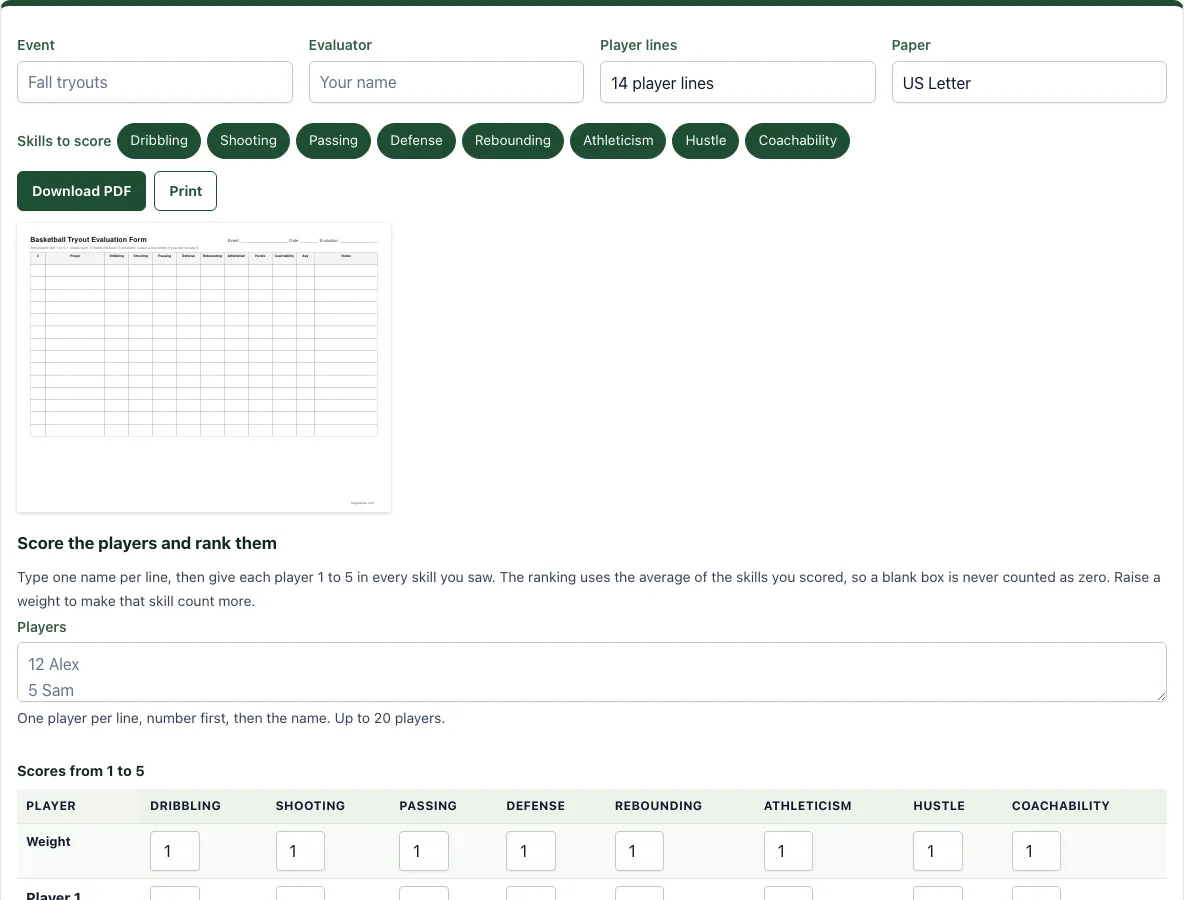
How to use the Basketball Tryout Evaluation Form
- Type the name of the event and the evaluator. Both are printed in the header of the sheet.
- Choose the skills to score. Eight are on by default; switch off the ones you will not judge, down to a minimum of two.
- Choose 10, 14 or 20 player lines and Letter or A4 paper.
- Press Download PDF to save the sheet, or Print to send it to your printer. The sheet is landscape and fits one page, with a notes column for each player.
- Score each player 1 to 5 on the sheet during the tryout: 1 needs work, 3 meets the level, 5 is excellent. Leave a box empty if you did not see the skill.
- To rank the players, type the roster in the Players box, one per line with the number first, then type the scores into the table. A weight row sits above the players: raise a weight above 1 to make that skill count more, or set it to 0 to ignore it.
- The ranking updates as you type. Press Download CSV to open it in a spreadsheet, or Print to print the ranking.
Your roster and scores are saved in this browser on this device only. Clear numbers removes them.
How do you rank players at a basketball tryout?
Give every player a score from 1 to 5 in each skill, add the scores and divide by the number of skills scored. That average is the player’s rating, and the player with the highest average is first. Two players with the same average share the rank, and the next rank is skipped, so two players tied for first are followed by the third place.
A skill you did not score is left out of the average. If a player has 5 in dribbling and 3 in shooting, the average is 4, not 2.67 from counting the missing skills as zero. Weights work the same way: with shooting weighted 2, the same player scores (5 + 3 x 2) / 3, which is 3.67. Use weights when your team has a clear need, for example shooting for a team that struggled to score last season.
What should a tryout evaluation form measure?
Judge what you can see in a short session: ball handling, shooting form and results, passing, defensive position and effort, rebounding, speed and agility, hustle and how the player reacts to coaching. Use a short scale so that evaluators agree with each other. Define 3 as meeting the level of the age group, so most players score 2 to 4 and a 5 is rare.
Which skills should you score for younger players?
For players under ten, score fewer skills and judge effort more than results. Dribbling with both hands, passing and catching, and hustle tell you more than shooting percentage at that age, because shots at a 10-foot rim are small samples. Switch off the skills you cannot judge and use the notes column on the sheet for anything the scores miss.
How many evaluators should score a tryout?
Two or three evaluators who score on their own sheets give a fairer result than one. Print one sheet per evaluator, so everyone scores on paper without seeing the others’ marks. This page ranks one set of marks at a time, so type in one sheet, or agree the marks at the end as a staff and type those in. Do the final choice as a staff, not from the numbers alone, and keep the sheets in case a parent asks how the decision was made.
Frequently asked questions
Is the tryout evaluation form free and do I need an account?
Yes, it is free and needs no sign-up. Nothing you type is uploaded.
Can I print it or save it as a PDF?
Yes. Press Print for your printer or Download PDF to save the file. The sheet is landscape and fits one page on Letter or A4.
Which skills can I score?
Dribbling, shooting, passing, defense, rebounding, athleticism, hustle and coachability. You can switch off any of them, as long as two remain.
How does the ranking handle a skill I did not score?
It leaves it out of that player’s average. A blank box is never counted as zero.
Can I use it for a youth, school or club tryout?
Yes. The scale is the same at every level. Define what a 3 means for your age group before the session so all evaluators score alike.
Are the scores saved?
They are kept in this browser on this device. Download the CSV to keep a copy or to share it with your staff.
Can I use what I make here commercially?
Yes. Sheets, cards, diagrams and PDFs you make with this tool are yours to print, hand out, sell or put in your own products, such as a coaching book on KDP or a printable on Etsy, with no credit needed. You may not copy the tool or the site itself; see the terms.
Related tools
- Basketball stat sheet: Use it to record numbers in scrimmages during the tryout.
- Basketball rotation generator: Use it to give every player equal court time in a scrimmage.
- Basketball scouting report template: Use it to prepare for your first opponent.
- Basketball practice plan template: Use it to plan your first practice with the new team.
- Basketball plays for youth: Use it to find simple plays for a new team.
- Basketball playbook: Use it to collect your plays in one place.